Thanks very much for the swift response, I have just ordered one.The Robman wrote:This is the one that we recommend:
https://www.hifi-remote.com/forums/viewtopic.php?t=16360
Figuring out the OFA URC7980
Moderator: Moderators
I have at last a development version, RMIR v2.04 build 6, for you to test. Please see this post. I hope you are using a 64-bit Windows system, as the included jp12serial v0.22 beta is so far only compiled for that OS. If you have a different OS, please shout and we'll see what we can do.loft wrote:I don't want to insist too much but, giving that the subject interest me very much...
Did you guys manage anything?

EDIT: This post referred to above now contains a valid link to build 6. It has continued to be impossible to upload it to the File Section of these forums.
Graham

While playing with this remote, I have found an issue that I assume it has to do with the remote's definition files. Because I failed to import a few buttons for my AV receiver, I decided to start from scratch and use the available device files. But, after finishing the whole config and sending it to the remote, I noticed that the config didn't work on the remote (only TV is enabled, no buttons work). So I checked RMIR, only to notice that the "Activities" section is not populated and cannot be edited.
My assumption is that the "Activities" section is configured at the beginning, when creating the new remote and this might have to be part of the remote's definition file. I don't know...
Any ideas?
PS: I noticed the wrong behavior this morning, before going to work so further investigations will come around evening time.
My assumption is that the "Activities" section is configured at the beginning, when creating the new remote and this might have to be part of the remote's definition file. I don't know...
Any ideas?
PS: I noticed the wrong behavior this morning, before going to work so further investigations will come around evening time.
Did you start by doing File > New (or using the New icon on the toolbar) and selecting the URC-7980? If so, did you read the long warning message that RMIR displays before it lets you select the remote? That warning isn't there for fun. To create an entirely new setup with RMIR you need to do a factory reset (long press of Magic then enter 981) and then download the remote to RMIR to use as your starting point.
If you did this and it still doesn't work, please post your .rmir file for me to look at. But if you started with File > New then I'm afraid you will have to start again with a factory reset as described above.
If you did this and it still doesn't work, please post your .rmir file for me to look at. But if you started with File > New then I'm afraid you will have to start again with a factory reset as described above.
Graham
mathdon sorry for not reading that carefully.
In the end I pretty much managed to get the most out of this remote and obtain the most I could at this point.
I hope that at a point in time an extender would be available for this remote as I would kind of need some functions that, from what I've seen, are available through extenders.
Thank you very much, guys!
PS: I'm open to test any other future developments on this remote.
In the end I pretty much managed to get the most out of this remote and obtain the most I could at this point.
I hope that at a point in time an extender would be available for this remote as I would kind of need some functions that, from what I've seen, are available through extenders.
Thank you very much, guys!
PS: I'm open to test any other future developments on this remote.
Cable issue
The cable arrived today, however it has 6 separate pins on it, I have try to research how these are connected to the remote but all the references seem to use a block rather than individual pins, am I missing the point?
Kindest Regards,
Kindest Regards,
Pinout is in the same post from Rob where you found the cable.
https://www.hifi-remote.com/forums/viewtopic.php?t=16360
Many of us add our own block, which is also linked in the above post.
https://www.hifi-remote.com/forums/viewtopic.php?t=16360
Many of us add our own block, which is also linked in the above post.
Rmir not detecting remote
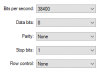
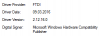
Thanks for your helps, I have connected the cable if I remove the battery and then put it back with the cable the usb end of the cable flashes for a second or two, does this mean the connection is successful, because Rmir does not seem to detect the remote.
Re: Rmir not detecting remote
You're using the version of RM in this post?jts321835 wrote:Thanks for your helps, I have connected the cable if I remove the battery and then put it back with the cable the usb end of the cable flashes for a second or two, does this mean the connection is successful, because Rmir does not seem to detect the remote.
https://www.hifi-remote.com/forums/viewt ... 176#p126176