Page 1 of 1
Atlas remote track forward/back stickers
Posted: Sat Dec 13, 2008 12:02 pm
by xnappo
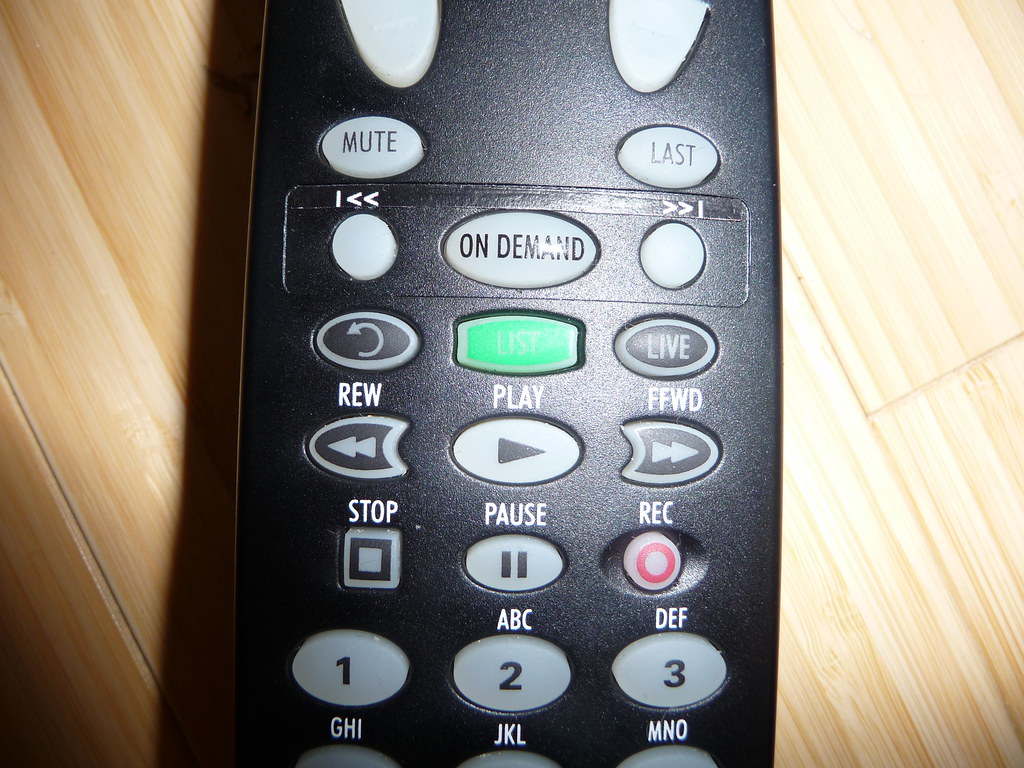
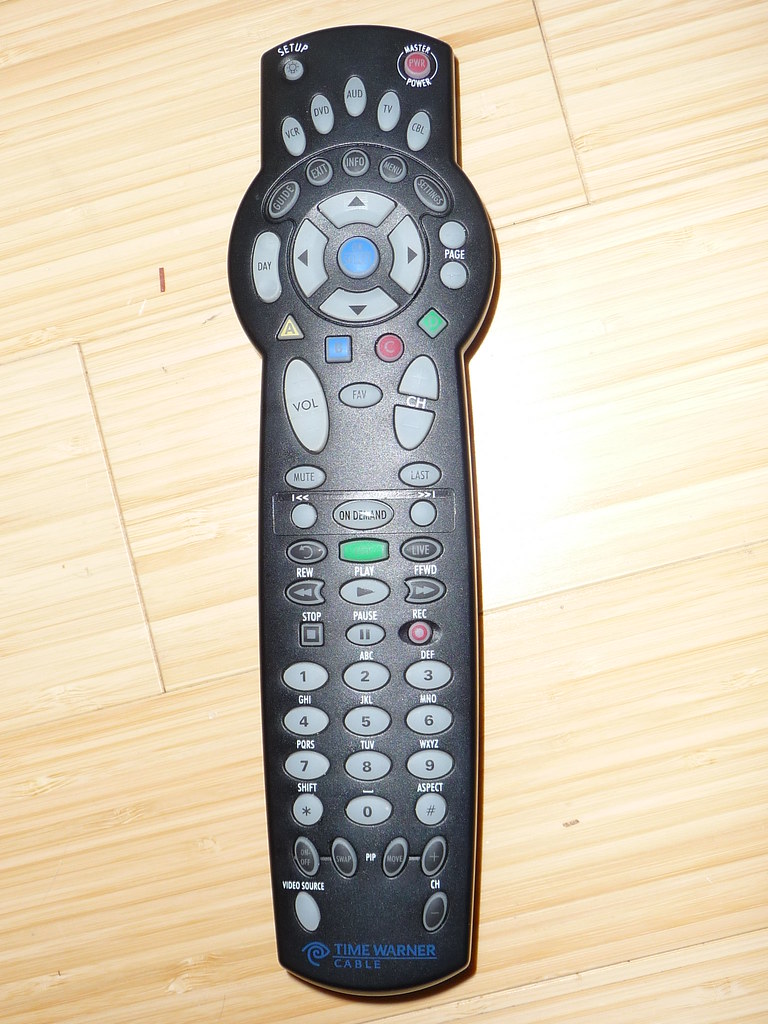
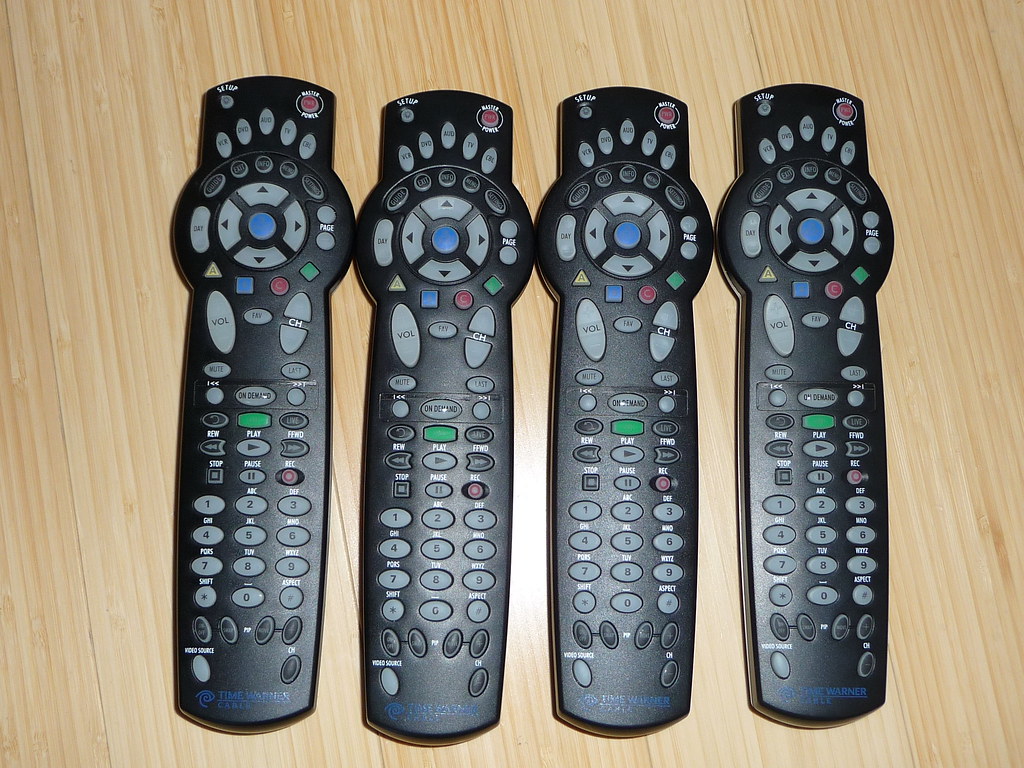
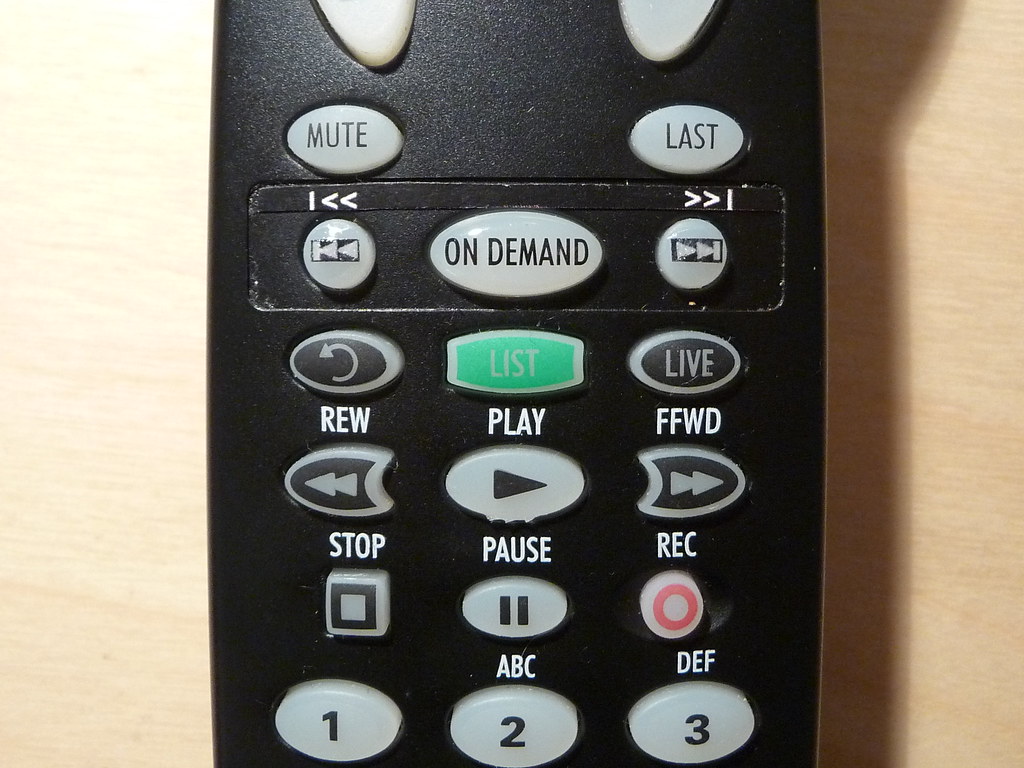
Finished my project to replace the 'Music/Help' sticker on the Atlas with Track Forward/Back. I tried doing the whole sticker with cutouts for the buttons, but it didn't look too good. Here are the results:
xnappo
Posted: Sat Dec 13, 2008 2:46 pm
by greenough1
Nice! What did you make the label out of?
Posted: Sat Dec 13, 2008 2:52 pm
by xnappo
greenough1 wrote:Nice! What did you make the label out of?
Just paper - I have a color laser printer though, and the black toner is pretty waxy.
xnappo
Posted: Sun Dec 14, 2008 3:43 am
by Ellen
Good idea. This might also work well with one of those Brother or Dymo label gizmos with white on black label tape.
Posted: Mon Dec 15, 2008 9:32 am
by Capn Trips
xnappo wrote:greenough1 wrote:Nice! What did you make the label out of?
Just paper - I have a color laser printer though, and the black toner is pretty waxy.
xnappo
Regular paper I got, but a color laser - may have to print these at work.

What font style and size did you use, and how did you glue them on? Do they stick pretty reliably or do they fall off?
I just use the keys immediately below (the PVR buttons) for "Skip FWD" and "Skip Back", but plan to use those three (F1, OnDemand, and F2) buttons for my Multiplexing requirements, so would want to label them with "Blu-Ray", "HD-DVD" and "Region-Free DVD" respectively on top, and "VHS", "Media PC" and Laserdisc" underneath.
Posted: Mon Dec 15, 2008 11:02 am
by xnappo
Capn Trips wrote:
What font style and size did you use, and how did you glue them on? Do they stick pretty reliably or do they fall off?
I used Arial 20 for the font. I scanned in one of the original stickers and then made another layer in my paint program to get it to match up. I just used a glue stick since I wasn't sure I would like it - but that seems to be sticking really well actually.
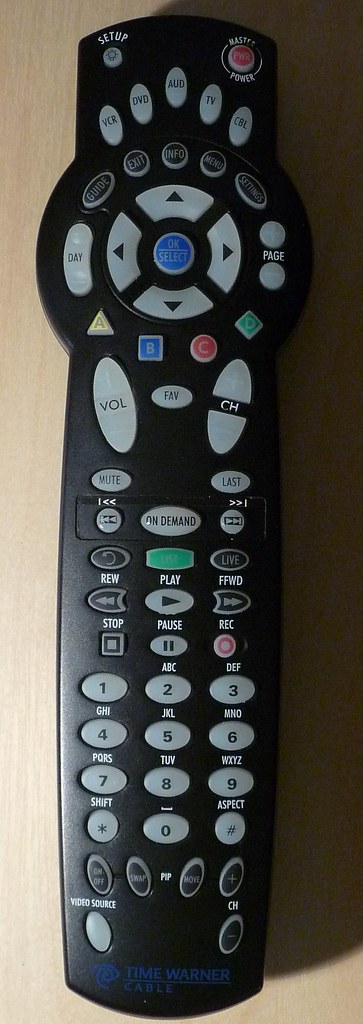
As a further mad science project, I put some drops of superglue over the label before cutting it out. It is interesting - once the super glue dries, the white part becomes clear. I was going to mess with making black 'plastic'(via superglue) dots with the symbol in the center and superglue it to the button itself - I think the backlight would still go through. However my hole punch was too big and I couldn't make them look very good...
xnappo
The obsession continues...
Posted: Fri Dec 19, 2008 4:22 pm
by xnappo
I seriously don't know what my problem is. After my discovery about super glue turning paper into clear plastic, I just couldn't help myself:

xnappo