Page 1 of 1
How to interpret codes for Oppo Sonica DAC
Posted: Tue Jun 13, 2017 1:16 am
by Belial
Hello,
I have a device that don't come with a remote control. It's not really a problem because it can be driven through an android App. But the manufacturer just released some code for the device. I thought i could reuse my old jp1 remote (URC-8550) to control the volume, but i can't find a way to enter the following codes. I think my jp1 remote is too old for 16 bit device codes. I also tried some manipulation with the magic key, but again, i don't know how to enter the 16 bits 'custom code'.
Source :
http://download.oppodigital.com/sonica- ... e_SDAC.pdf
custom code 0x629D
POWER 0x0A
MUTE 0x03
VOL- 0x07
VOL+ 0x19
PREV 0x47
PLAY/PAUSE 0x11
NEXT 0x2A
USB 0x15
OPTI 0x5C
COAX 0x2C
AUX 0x09
DIMMER 0x05
INFO 0x52
anti-clockwise 0x56
clockwise 0x58
enter 0x5A
Do you have any ideas on what these codes could mean ?
Thanks.
Re: How to interpret codes for Oppo Sonica DAC
Posted: Tue Jun 13, 2017 3:25 am
by vickyg2003
Belial wrote:Hello,
I think my jp1 remote is too old for 16 bit device codes. I also tried some manipulation with the magic key, but again, i don't know how to enter the 16 bits 'custom code'.
Ahh a topline with a Mitsubishi P8/740 processor. We don't see many of these anymore. Not two old for 16 bits of fixed data, Hopefully this will be a standard protocol that doesn't need a custom executor.
Are you sure these are IR codes? This unit is pretty expensive to have an IR receiver but no remote control.
Assuming these are IR signals , we don't know what protocol this is. The protocol gives us the timing data and the rules for sending the data represented by the hex.
I looked through JP1 master 1.15 from February, to see if we have any upgrades that use device 98 or 70 depending on if the 0x62 is read MSB or LSB and couldn't find anything that could be represented the by this hex. I didn't find anything.
I tried the lookup tool to see if we had any Oppo codes. Only a DVD player with a Nec1 73 code.
Looking at the custom code 0x629D would be the fixed data, the second 8 bits is the complement of the first, like in a Nec1 signal.
Usually with a NEC they show the This might be a representation of a simple Nec1 where they are not showing the complement of the
The only suggestion I have is make a Nec1 Device upgrade
Device 70
Power OBC 80
and see if it powers the unit on and off.
But you can only do that with a cable, and I just noticed this is in the non-JP1 forum.....
Posted: Tue Jun 13, 2017 4:00 am
by Belial
Well, i wasn't sure if this was the right place for posting. I still have a cable to program the jp1 remote, but I must confess it was quite some time since i used it.
I'm trying to achieve the following : Program the code directly into the jp1 remote, and then, use it to make a Logitech harmony remote learn the code.
I will also send and email directly to Oppo: They migth give some hints on the protocol to use.
I'm quite sure that they are IR codes, because i'm also discussing this on a hifi forum, and Oppo has confirmed that the IR receiver is available in the device, but that the remote control is not part of the package :
OPPO said : You will need programmable Universal Remote that can take HEX codes. Otherwise, you will need to wait for us to begin selling the remote control itself.
Edit : Message also sent to oppo support.
Posted: Tue Jun 13, 2017 7:02 am
by The Robman
Posted: Tue Jun 13, 2017 1:38 pm
by Belial
Hello and many tanks.
The upgrade works very well. I didn't had time to test everyhing, because i had to troubleshot my jp1 cable (and now, it's starting to be late). Final option was to brougth back to life a very old computer

So, the power on/off is ok, and so is the volume control. Repetition is also ok for volume control (after i removed the old mapping to volume control of the amps). I've also checked the input selection and everything seems fine.
I think it needs a little tuning on keys affectation, but that should be easy.
I think it would make sense to reaffect clockwise/anticlockwise that are currently affected to 5 and 6 to right and left arrows, as the are related to a rotative knob (push the knob is enter, rotate clockwise and anticlockwise for selection).
I will try to do this tomorrow and get back to you,
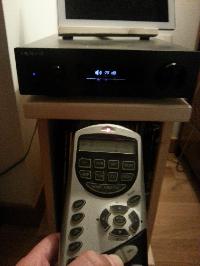
Volume control in action
Posted: Tue Jun 13, 2017 1:55 pm
by The Robman
Belial wrote:I think it would make sense to reaffect clockwise/anticlockwise that are currently affected to 5 and 6 to right and left arrows, as the are related to a rotative knob (push the knob is enter, rotate clockwise and anticlockwise for selection).
Sure, chose whatever button layout works best for you. I have no idea what clockwise and anticlockwise do, so I just put all of the unusual buttons on the number buttons.
Posted: Wed Jun 14, 2017 10:10 am
by Belial
Hello,
here is my final mapping :
keys 1 to 5 has been assigned input selection
I've moved the 'dimmer' to the '20' key : it changes the luminosity of the display
As i said i moved clockwise / anticlockwise and enter to the same area, as they are used to simulate a push knob
I've also reordered the input to math the 'natural' input order of the device
And finally, the 'info' key is a link the the bluetooth input (so i moved it to key 5)
Posted: Wed Jun 14, 2017 10:12 am
by Belial
I'm not sure if it's usefull; but here is the new version of the rmdu file :
Description=Oppo Sonica DAC
...
Button.9=PLAY/PAUSE|null|null
Posted: Wed Jun 14, 2017 11:01 am
by The Robman
Belial wrote:I'm not sure if it's usefull; but here is the new version of the rmdu file :
Description=Oppo Sonica DAC
...
Button.9=PLAY/PAUSE|null|null
Thanks Belial, it is useful, but we prefer that folks load their RMDU files into the file section, where others can find them, rather than cut&pasting the contents into a forum post. So, I have deleted the code above and moved it to the following file:
https://www.hifi-remote.com/forums/dload ... e_id=14576
Posted: Wed Jun 14, 2017 11:21 pm
by Belial
Hello,
i Agree, but i did not find a way to send an update to the file

Posted: Thu Jun 15, 2017 6:41 am
by The Robman
Belial wrote:Hello,
i Agree, but i did not find a way to send an update to the file
Yeah, you can't update someone else's file, but you can upload a new file.
Posted: Thu Jun 22, 2017 7:06 am
by Belial
Documentation has been updated to include the pronto code, and it is confirmed that it's :
OPPO Sonica DAC NEC & Pronto Hex Remote Codes (xlsx Format)
http://download.oppodigital.com/sonica- ... Codes.xlsx
Posted: Thu Jun 22, 2017 8:40 am
by The Robman
I saved it in xls format (for greater portability) and have saved it in our file section:
https://www.hifi-remote.com/forums/dload ... e_id=14587
