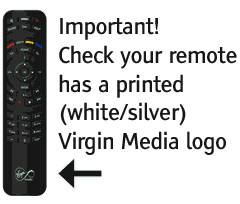
Right, some testing later:
Magic equivalent is hold Star+TV.
As far as I can tell, 9xx codes don't work; it waits for a fourth digit, as if interpreting it as a device code.
As 9xx's don't work, I cannot attempt to test learning.
I have wiped the remote several times via Initialize to $00, as 981 doesn't work. The remote rebuilds its config to defaults immediately after communications end.
Macros don't work.
Keymoves, both function and key based, don't work.
Device upgrades, both STB and TV appear to work.
I haven't tried a protocol upgrade.
This remote does not have a TV mode. I was wrong when I assumed the TV was a mode. It is always in STB mode, with optional volume punchthrough to the TV device, and a couple of other keys that can send TV codes, see below.
The LED lights red when sending from the STB device and green when sending from the TV device. Text in the battery compartment states that orange flashing indicates a low battery.
The * key doesn't appear to work, even after I renamed it to Star in the RDF. It doesn't even do anything in the default STB code. It appears to be some sort of device select key! Pressing Star+Help or Star+Power sends the respective button from the selected TV device. If you did Star+Help the navigation keys (U/D/L/R/OK) send TV codes for a short period, or until you press OK (or any other non navigation key) once; then they revert to the STB codes.
The punchthrough bytes appear to be 'normal' for a JP1.4 remote:
I edited the RDF so that PunchThru=V and punchthrough select works correctly. This zeros the second punchthrough byte (normally 0x10), but otherwise appears to work, allowing me to enable and disable VPT from STB to TV.
Here is a pair of raw DL's, both configs entirely generated by the remote, with no RMIR involvement, one with no TV device (and no VPT), one with TV 0009 and VPT auto-enabled by the remote.