Just want to check something during the extender installation. This may be what went wrong the first time I did it...and I think has gone wrong again.
All of this was fine
If you have not already done so, download your remote to RMIR and save its present setup as a .rmir file (NOT as a .bin file).
Rename the file “Settings_reset_6440extender104(2570A1).bin” in the extender package as simply “settings.bin”.
Connect your remote to your PC and use standard file copying to copy the settings.bin file of step 2 to the remote. (Do NOT do this by loading settings.bin into RMIR and uploading it — this will NOT work, you MUST use standard file copying to the external drive created when you connect your remote.) Your remote is now in the factory reset state for Extender v1.04.
Then I went on to this step
Open RMIR and load the saved .rmir file of step 1. From the File menu, select “Install Extender... ", which opens a dialog for you to choose a file with a .hex extension. Navigate to where you have stored the unzipped extender package and select the file
And it comes up with this:
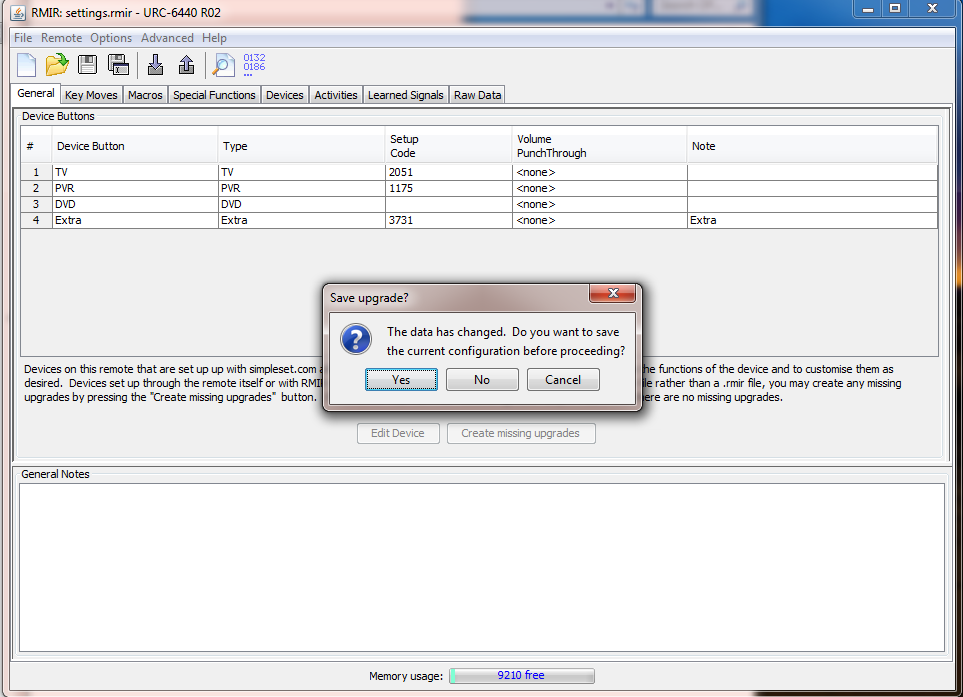
I clicked yes. Then selected the extender hex file.
Then clicked "upload to the attached remote".
At this point, the extender functions do not show up in RMIR? Should they?
I then unplugged the remote and plugged it in again (probably not necessary though) and clicked "download from the attached remote).
The time duration boxes are there within the special functions tab, however in the activities tab there are only two activities showing, like before.
I have uploaded the settings.bin file to the diagnosis area. I'm just going to make dinner and I'll be back soon.
https://www.hifi-remote.com/forums/dload ... e_id=13734.

 .
.
